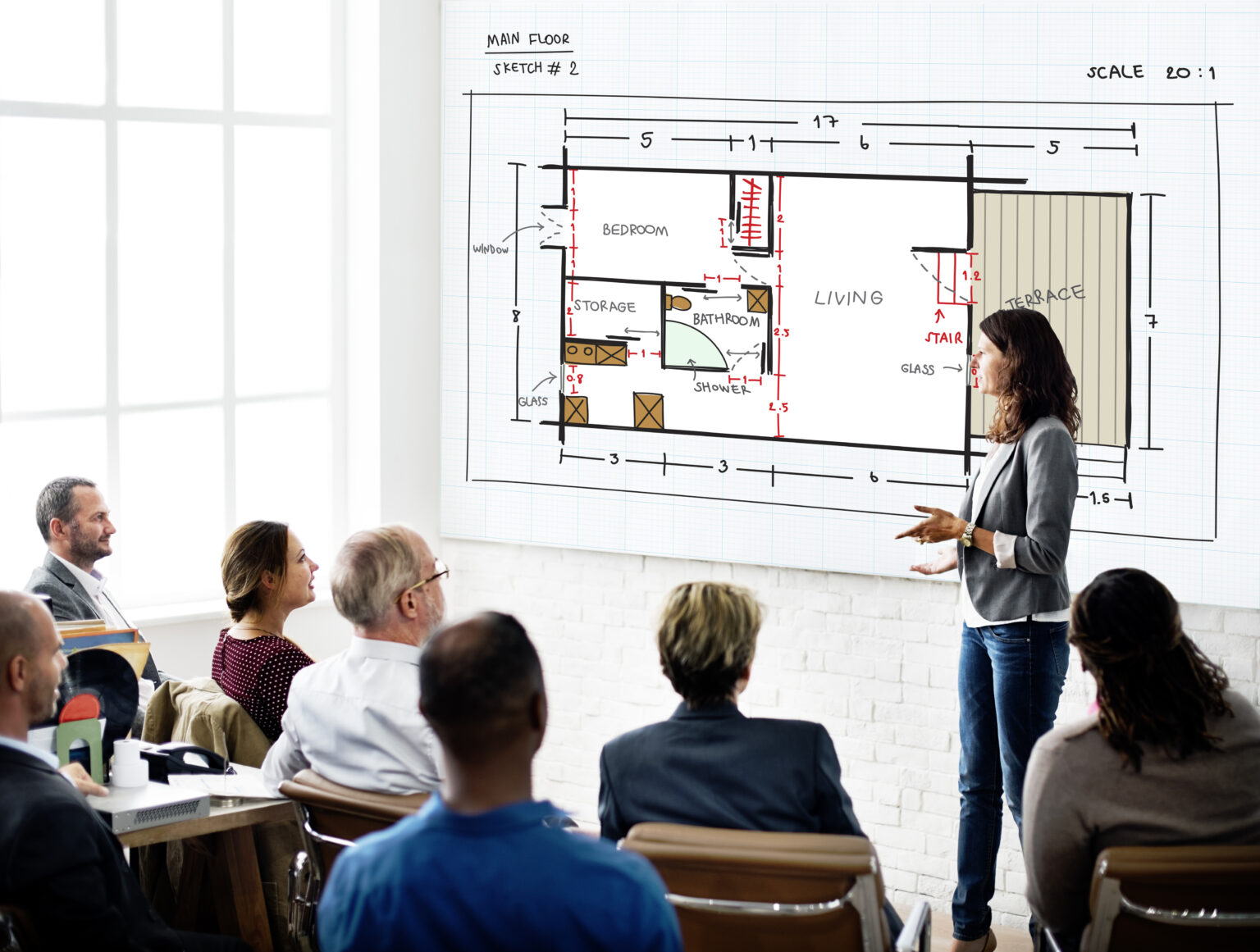
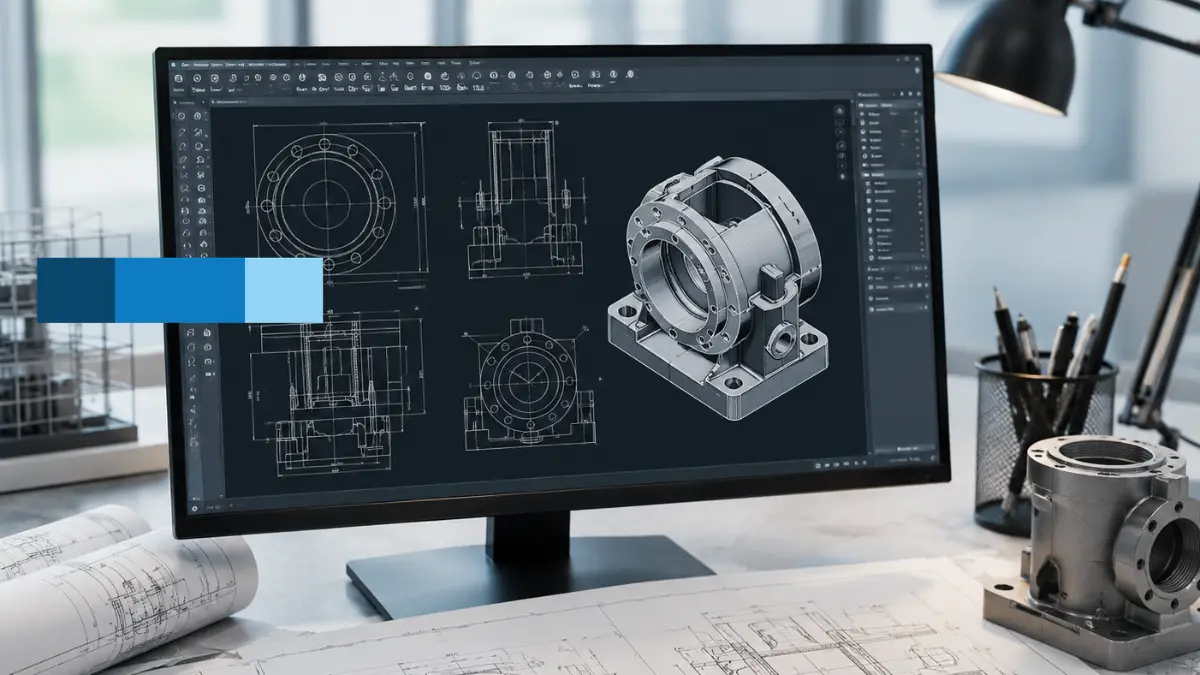
When you are deep in the trenches of planning a real-world construction or engineering project, the design tools you choose can honestly make or break your entire timeline. Having sharp, highly accurate blueprints isn’t just a box to check it is what keeps an entire project on track, saving your crew from massive field errors, wasted materials, and incredibly costly rework down the line. At McLine Studios, we take your raw engineering concepts, rough hand sketches, and messy redline markups and turn them into highly detailed, constructible blueprints that builders can actually rely on without second-guessing.
For developers, structural contractors, and architects searching for dependable CAD drafting services, picking the right software platform is absolutely everything. It dictates exactly how fast you will clear strict city approvals and how smoothly your project transitions from a digital concept to a physical, standing structure. We match our hands-on building knowledge with the industry’s most reliable design engines to keep your workflows moving smoothly without a hitch.
The modern landscape of design demands varied approaches for different types of builds. A custom residential home requires an entirely different software environment than a massive multi-tiered highway interchange or a highly complex automotive component. By deeply mastering the top programs available today, our production teams ensure that your project documentation is built on the right foundation from day one, giving you the precision, scale, and clarity needed to hit the ground running.
1. Autodesk AutoCAD: The Industry Workhorse for 2D and 3D Production
Even with all the flashier, newer modeling programs hitting the market today, Autodesk AutoCAD remains the rock-solid foundation for engineering, architectural, and drafting teams all over the world. It is the absolute industry benchmark for translating complex, high-tolerance engineering layouts into clean, crisp, and highly organized vector drawings that everyone across the supply chain can read.
Technical Strengths and Architectural CAD Drafting Capabilities
What makes AutoCAD so enduring is that it gives you total, absolute control over every single line weight, drawing layer, and geometric dimension. When we are handling intensive architectural CAD drafting, we don’t just use standard line tools; we utilize specialized architectural toolsets loaded with massive, intelligent component libraries, automatic layering rules, and custom dynamic blocks. This takes away a massive chunk of the tedious, manual line work, which means your project moves faster and fewer human mistakes manage to slip through to the final printed set.
The software acts as a perfect canvas for detailing complex building joints, cross-sections, and custom layout patterns. Because it handles precise vector geometry so natively, it allows us to map out intricate tolerances where even a fraction of an inch matters. This extreme control ensures that when drawings are dispatched to the field, the measurements match the real-world conditions exactly, preventing the typical alignment issues that plague less precise drawing methods.
Project Capabilities and Real-World Precision
- Smart Automation Workflows: We run tailored macros and custom LISP routines to instantly handle repetitive, time-consuming tasks like dimensioning, room labeling, and tag updates.
- Multi-Disciplinary Coordination: It smoothly manages everything from basic site zoning layouts and deep foundation details to complex mechanical schematics and specialized MEP layouts.
- Clean File Sharing and Compatibility: Generates perfectly structured, clean DWG and PDF files so your external consultants, shop fabricators, and onsite contractors can open them without losing track of layers, linestyles, or scales.
By heavily leveraging these deep optimization tools in our daily AutoCAD drafting services, we give our clients the unique ability to scale up their project workloads rapidly without ever compromising on precision or technical accuracy.
2. Autodesk Revit: Parametric Building Information Modeling (BIM)
Most modern commercial builds and large-scale residential projects require a whole lot more than just flat lines and shapes on a computer screen they require smart, data-rich digital representations of the actual physical building. That is where Autodesk Revit completely changes the game, moving well past traditional drawing methods into full Building Information Modeling (BIM) to act as a core engine for advanced CAD drafting services.
Masterful CAD Drafting in Revit
The real magic behind CAD drafting in Revit drafting lies within its live, fully parametric framework. Instead of drawing standalone, static lines to represent a wall or a window, we place intelligent digital components that carry real physical properties, structural tolerances, insulation values, and manufacturing data. Because the entire 3D model is completely interconnected, the software handles the heavy coordination lifting for you. If you move a structural column or change a wall thickness in a simple 3D view, Revit instantly updates every single floor plan, exterior elevation, section cut, and material schedule across your entire drawing set automatically, keeping everything perfectly in sync.
This parametric connection completely reshapes how revisions are handled. In older workflows, a last-minute change by a client meant spending hours manually hunting down every single drawing sheet to update the lines by hand. With Revit, the model acts as a single source of truth. A change made anywhere is a change made everywhere, giving project managers complete peace of mind that their documentation is always current, cohesive, and completely free of conflicting information.
Work Process and Technical Strengths
- Perfect Model Synchronization: Your 2D documentation sheets and complex 3D models stay completely aligned through every single revision round, eliminating mismatched sheets.
- Pre-Construction Clash Detection: It automatically catches serious spatial conflicts like a major plumbing line accidentally running right through a structural steel support beam long before your procurement team orders materials.
- Automated Material Quantities: Extracts highly precise bills of materials and quantity takeoffs directly from the live model data, making project budgeting and estimating much more predictable.
Bringing this intelligent workflow into our daily drafting production saves immense time during multi-disciplinary coordination meetings, radically shortens overall design cycles, and gives field construction teams a highly accurate, issue-free roadmap for building.
3. SolidWorks: High-Precision Parametric 3D Design
When a project moves away from standard building shells and involves custom mechanical components, intricate industrial fabrication details, or complex wood and millwork shop drawings, SolidWorks is the absolute go-to choice. It is engineered from the ground up to turn dense manufacturing concepts into production-ready designs with absolute physical and geometric accuracy.
Advanced 3D CAD Drafting Services Solutions
SolidWorks excels at managing incredibly dense, multi-part product assemblies and testing exactly how physical materials behave under real-world pressure. For highly specialized fabrication projects that rely heavily on 3D CAD drafting services, SolidWorks allows us to build every single mechanical part virtually, piece together massive assemblies element-by-element, and verify that all joints, clearances, hardware fasteners, and mechanical motions work flawlessly before a single piece of raw material is cut or stamped.
This makes it an incredible asset for custom architectural features, bespoke metal staircases, or complex curtain wall anchors that require specialized engineering. By modeling these complex assemblies down to the individual millimeter, we help fabricators visualize the exact breakdown of parts, reducing manufacturing errors and ensuring that everything fits together perfectly when it arrives on the job site.
Engineering Strengths
- Editable Design History: Keeps a strict, step-by-step history log of the build, letting us jump back and tweak specific dimensions at any point without breaking or corrupting the rest of the model geometry.
- Automated 2D Shop Drawings: Instantly translates complex 3D part files and assemblies into clean, fully dimensioned 2D drawings optimized directly for the fabrication shop floor.
- Stress and Motion Simulations: Built-in FEA (Finite Element Analysis) tools let us apply virtual weight, pressure, and load forces to parts, revealing weak spots so we can optimize structural durability early on.
It serves as a crucial technical tool for generating flawless fabrication templates, custom assembly guides, and highly precise manufacturing blueprints that streamline the production line.
4. MicroStation: Scalable Design for Infrastructure and Civil Engineering
Developed by Bentley Systems, MicroStation is the massive, heavy-duty engine behind major global infrastructure works, transit networks, airports, and sprawling civil engineering designs. It is built specifically to process giant coordinate datasets and massive physical geographic areas without lagging, slowing down, or crashing your workstations.
Scalable 2D CAD Drafting Services
Large-scale civil and infrastructure developments need tools that can handle thousands of land survey points across vast distances without breaking a sweat. MicroStation provides incredibly stable 2D CAD drafting services alongside its robust 3D modeling space, allowing engineering teams to design completely clean, organized layouts for regional utility grids, highway systems, rail lines, and massive commercial sites.
The stability it offers when working with vast file attachments is unparalleled. In infrastructure design, you are often overlaying topographic surveys, environmental maps, utility data, and structural layouts all onto a single project space. While ordinary software would buckle under the weight of these massive external reference files, MicroStation handles them with ease, keeping the workspace fluid and responsive for production teams.
Technical Project Capabilities
- Heavy-Duty Data Handling: Effortlessly opens, edits, and manages massive design files (DGN) and external references without dropping performance or lagging your workstation.
- Simultaneous Team Collaboration: Allows multiple engineering disciplines to reference, view, and work on the exact same master file at the same time without any risk of file corruption or data loss.
- GIS Mapping Integration: Connects seamlessly with real-world geographic information systems, ensuring your structural plans, roads, and foundations line up perfectly with actual global coordinates.
5. ArchiCAD: Intuitive, Architect-Focused BIM

ArchiCAD by Graphisoft stands out in the crowded software market because it was designed specifically for architects, building designers, and interior specialists right from day one. The software’s entire internal logic, navigation, and layout are built around the way buildings are naturally put together in the real world, focusing heavily on spatial ergonomics, clean construction detailing, and smooth project delivery.
Enhancing the CAD Drafting Process
The whole CAD drafting process inside ArchiCAD feels incredibly natural to building designers. Teams can jump smoothly from initial schematic concept layouts to highly detailed, constructible blueprints within a single, unified environment, giving you total creative design freedom while maintaining strict, non-negotiable technical accuracy.
The workspace is highly optimized for creating clean construction documents side-by-side with your design iterations. Because it uses an object-oriented approach, the transition from a broad floor plan to a localized, detailed wall section is seamless. It automatically creates clean cuts and fills based on the materials assigned, which cuts out hours of manual cross-hatching and line-drawing when building detail sheets.
Technical and Architectural Strengths
- Object-Oriented Design Philosophy: You build using real architectural elements like smart walls, slabs, doors, stairs, and columns rather than generic, hollow geometric shapes.
- Smooth Background Processing: Smartly uses your computer’s multi-core processor to handle heavy visual views and renderings in the background, keeping your active workspace incredibly fast and fluid.
- OpenBIM Connectivity: Uses standard, universal IFC data formats, making it easy to share clean model data back and forth with structural engineers and MEP specialists who might be using completely different design software.
ArchiCAD bridges the gap between creative architectural design and strict technical production, making it an excellent platform for custom residential builds, high-end commercial spaces, and detailed interior fit-outs.
Quick Technical Comparison of Core CAD Platforms
| Software Platform | Primary Design Focus | Main Practical Application | Key Technical Strength |
| Autodesk AutoCAD | Multi-Disciplinary Detailing | 2D Blueprints & Basic 3D Layouts | Endlessly customizable, unmatched vector line precision. |
| Autodesk Revit | Architectural & MEP BIM | Data-Rich Parametric 3D Modeling | Model-wide automatic updates, early clash detection. |
| SolidWorks | Mechanical & Custom Fabrication | Component-Driven 3D Assemblies | History-based design changes, built-in stress analysis. |
| MicroStation | Infrastructure & Civil Works | Large-Scale 2D/3D Geospatial Sets | Manages massive file sizes and coordinate maps without lag. |
| ArchiCAD | Architectural Design & BIM | Building Layouts & Detail Sheets | Architect-friendly interface, smooth open-format file sharing. |
How We Work: Our CAD Drafting Process
Getting highly dependable construction documentation out to the field takes a clear, disciplined, and step-by-step production strategy. Every single drawing, model, and blueprint we handle at McLine Studios moves through a practical, multi-stage production process to ensure it matches your exact field requirements and company standards perfectly:
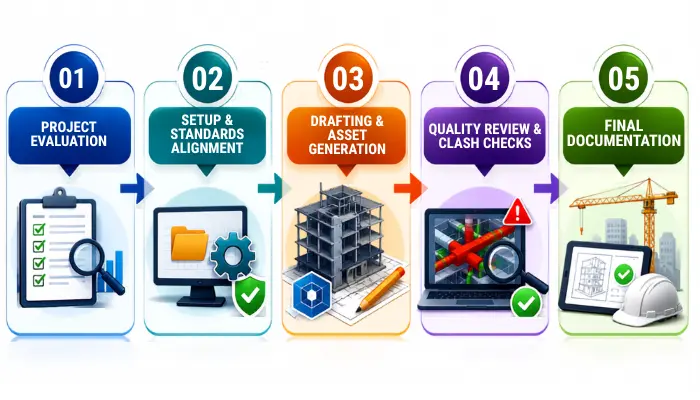
- Project Evaluation and Data Gathering: We dig deep into your rough schematic sketches, existing PDF redlines, or point-cloud scan files to map out clear project scopes, tolerances, and dimensional boundaries.
- Setup and Standards Alignment: We choose the ideal software platform for your specific project type and configure the exact layers, line weights, font styles, sheet scales, and custom title blocks required.
- Drafting and Asset Generation: Our production team handles the technical heavy lifting, building out crisp geometric layouts and inputting all necessary metadata and structural attributes inside the software environment.
- Quality Review and Clash Checks: Every single sheet goes through a strict internal check to catch overlay issues, verify construction tolerances, and ensure complete compliance with regional building codes and safety regulations.
- Delivery and Field Implementation: We send over clean, fully organized, production-ready files that your field crews, construction managers, or shop fabricators can use immediately without confusion or delays.
Conclusion: Trust and Technical Reliability
Picking out the right design software is a great first step, but actually unlocking the full power, automation, and precision of these complex programs takes years of daily, hands-on industry experience. At McLine Studios, we couple our deep structural drafting backgrounds with advanced software mastery to deliver clear, highly accurate drawings that transfer perfectly to the job site.
Whether you need clean 2D installation layouts, detailed architectural schematics, or highly detailed 3D parametric models, our focus is entirely on precision, speed, and clean file organization every single time. We are proud to build long-term professional partnerships grounded in clear milestones, open communication, and absolute technical quality. Get in touch with our team today to talk about your next project, and let’s get your drafting workflows running smoothly.