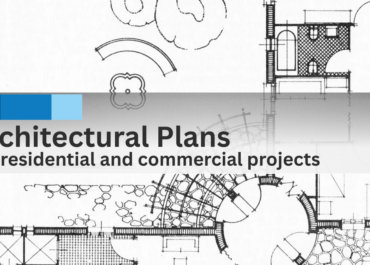
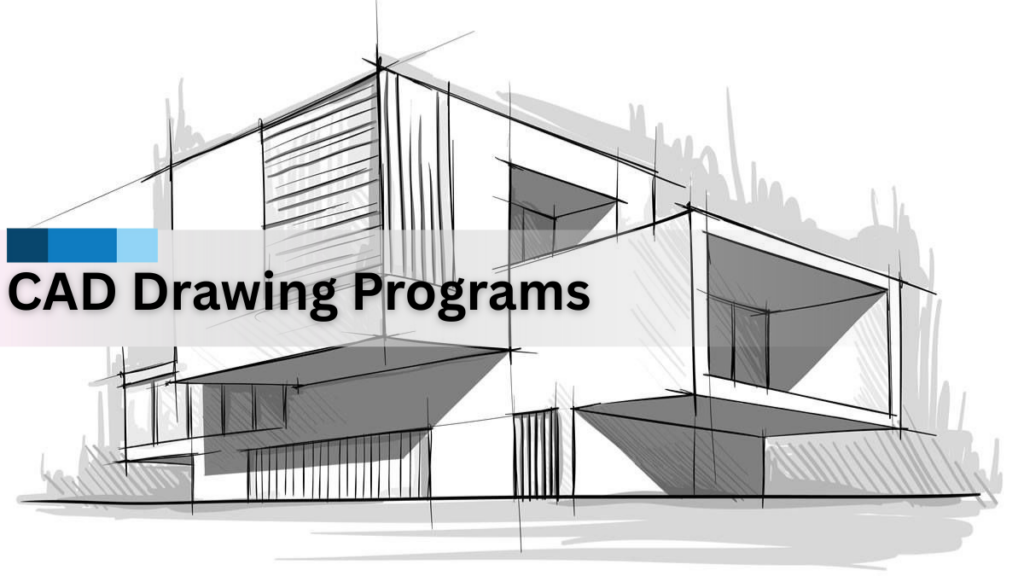
Effective and precise communication regarding both the design and the construction phases of a project occurs through to an actual completion of the project from the concept stage. To support the transition from concept stage through to the actual constructed documentation, CAD (computer-aided design) drawing packages are used by professional designers to create or produce various types of accurate and detailed documentation for the purpose of providing information about different design concepts created.
In addition to producing CAD drawings, providing CAD drawings to clients and all other participants and creating complex outputs including architectural visualisation and 3D rendering of homes are currently some of the largest parts of the overall design process.
As designs have continued to increase in complexity, CAD drawing packages have developed from a rudimentary drafting tools into essential devices for coordinating designs, ensuring that designs are accurate, producing high quality visual communications and do not contain errors or problems. This article will describe what CAD drawing software is capable of, what role it plays in the professional world and how it directly contributes to architectural visualisation and rendering of design.
What Are CAD Drawing Programs?
Computer Aided Drafting (“CAD”) drawing software (often referred to as “CAD” software or “CAD” programs) are specialized software tools for creating highly accurate digital drawings and technical documentation. These software tools enable designers, architects, and engineers to create scaled representations of buildings, components, and systems using standardized symbols, dimensions, and annotations.
Unlike hand sketches, CAD drawings are much more precise, easy to edit, and shareable through various means among different members of design teams. Most CAD design programs produce file formats that comply with a standard file format such as DWG so that they can be compatible with other computers and/or users. Consequently, all CAD-generated digital drawings are considered to be the primary resource for design coordination, obtaining approvals, producing fabrications, and carrying out construction.
In practice, CAD drawing programs are not limited to just drafting. CAD drawing programs provide support for layered information, detailed line work, and integration of CAD drawings into visualization-based workflows, which are required for current and future architectural and construction projects.
The Role of CAD Design Programs in Architectural Workflows
Architectural workflows in today’s world rely heavily on Computer Aided Design (CAD) Programs, which help bridge the gap between conceptual design and the creation of the building. This technology gives architects the ability to produce technically accurate drawings, documents, and 3D renderings.
CAD allows Architects to:
- Produce accurate floor plans, elevations, and sections.
- Provide dimensions and materials for construction.
- Efficiently communicate to all parties through revisions and updates.
- Maintain consistency within multiple drawings.
The CAD file provides the ability to quickly change the design team’s (designer, architect, etc.) production without disrupting the overall workflow. This aspect of CAD is particularly important when working in fast-paced environments where creating and completing projects in the time allowed is crucial to keeping up with the demand for their product.
Understanding CAD Drawings and DWG Files
CAD drawings and DWG files are two essential components of any CAD workflow. CAD drawings are the graphical representations created to adequately convey the design, while DWG files store graphical and technical information necessary to accurately represent that design.
The typical contents of a DWG file include:
- The actual line and geometry (or outlines of the design)
- Dimensions and annotative features (to annotate or define how to build the design)
- Layers to represent various types of disciplines using the same DWG file
- Referencing to external CAD files (somewhat like hyperlinks referencing different pages on the internet)
Collaborative efforts can take place among different teams (architecture, structural, MEP) because the DWG format is a standard format across many industries, thus allowing for reliable exchange of information. Because of the extensive use of AutoCAD DWG files, communication between the parties becomes much easier than with other CAD platforms.
Good organization of CAD drawings limits confusion, decreases possible errors and assists with trying to work with an equivalent set of data by having all of the designers using the same information.
How CAD Drawing Programs Support Architectural Visualization
Base drawings are of great importance to architectural visualization. If base drawings are not prepared correctly with CAD software, the final output of visualizations can often be misleading or inconsistent with the actual design.
CAD Software will produce the basis for the architectural visualization by providing:
- The correct geometry for 3D model building
- The proportional size of each element
- The spatial relationship between elements
- The technical quality of rendering architecture
Once CAD drawings are prepared accurately, they can be converted effortlessly into 3D architecture models for architectural visualizations. By doing this, both designers and clients can see the space they plan on creating before actually constructing, therefore allowing for a better decision-making process, and reducing design-related risks.
From CAD Files to 3D Architectural Visualization
Transitioning from 2D CAD drawings to a 3D representation of an actual structure is a very important aspect of today’s design workflow. CAD files are utilized as the foundational input for generating the realistic output.
The general steps to producing an architectural rendering are as follows:
- Clean and coordinate CAD drawings prior to importing them into the visualization software.
- Importing the DWG files into the visualization software.
- Creating the 3D geometry from the CAD line work.
- Adding materials, lighting and textures.
- Generating the final rendered images or animated movie.
Utilizing cad design software that is aligned with the intended outcome of the project will ensure that your resulting 3D renders will accurately portray your intended design. This will assist with your presentations, building official approvals, and your communications with clients.
Importance of CAD Drawing Programs in 3D Home Rendering
For projects that are residential or mixed-use, 3D home renderings are proving to be a great resource in presenting the design intentions of new homes through visual outputs that have been created with accuracy and consistency based off of CAD drawings.
- CAD drawing programs can assist in the 3D home rendering process by:
- Creating accurate layouts and dimensions for each room
- Defining wall thicknesses for each wall and structural element
- Assisting in accurately locating openings and fixtures
- Locating visual drawings and alignment with CAD drawings
When CAD drawings are lacking or not fully coordinated, rendered drawings may provide a very attractive looking image but do not represent conditions that exist in the real world. By using high-quality CAD drawings to base rendered drawings on, designers can use high-quality visualizations to create a solid base in the technical accuracy of the drawings.
Architectural Visualization vs Architectural Visualisation
There are two spellings associated with the practice: Architectural visualization or architectural visualisation—both will be used interchangeably based on subscription region. The basis of both methods is to develop and produce credible output from structural drawings by means of a computer-aided design (CAD) application program and system.
When a strong foundation exists within the CAD environment, visualization teams can provide:
Realistic perspective and walkthroughs; consistency of the views from multiple perspectives; and efficiency of production when updating visuals as designs evolve.
By aligning CAD drawings with visualization workflow processes, all rendered output will be produced accurately throughout the life cycle of the project.
Coordination Benefits of CAD Design Programs
CAD design software has many advantages, but one of the best is that they allow multiple disciplines to coordinate successfully with the use of one common CAD drawing. Many architectural, MEP (Mechanical, Electrical and Plumbing), and structural teams can work together by using one common CAD drawing file, which helps eliminate conflict.
Coordinating effectively using CAD drawings can help to:
- Identify conflicts early in the design process
- Coordinate systems in tight constraints
- Decrease RFI’s (requests for information) in construction
- Minimize any potential for re-work or delay.
This coordinated method is critical to ensuring that projects run efficiently and meet quality specifications.
Quality Control in CAD Drawing Programs
Professional CAD workflows rely heavily on quality control to ensure that every drawing is constructed accurately. Therefore, it is essential to perform quality control checks on all CAD drawings prior to their release for visualisation purposes or building construction.
Commonly performed checks include:
- Checking dimensions and annotations
- Checking for consistent layering and naming conventions
- Checking for compatibility with all types of AutoCAD DWG file formats and
- Comparing dimensions between all CAD files for alignment purposes.
Having established and strong systems for managing quality control not only helps maintain confidence in the entire CAD production process, but it also ensures that final products from the CAD drawing can be used with confidence in other areas like architectural renderings or visualisations of architecture.
Why Professionals Rely on CAD Design Programs
CAD software provides consistency, accuracy, and efficiency for professionals in architecture, construction, and visualization.
The major benefits of CAD include:
- Improved design development and speed
- Improvement through collaboration and improved
- Trustworthy documents
- Easy integration into 3-D models.
Because of these many advantages, CAD has become a requirement for anyone who creates or uses visual designs.
Future Trends in CAD Drawing Programs and Visualization
With continued advancements in technology, CAD drawing software is evolving. New visualization software tools, improved file compatibility between CAD and other software, and increased automation will change the way designers work in the future of design workflows.
Similarities across these movements would be:
- The ability to create a closer link between CAD and visualisation platforms,
- A better ability to work with more complex CAD drawings,
- To create 3D architectural visualisations faster from the time that design work is completed, and
- To create more accurate architectural renderings.
- The need for high-quality visualisation and precision in CAD designs will continue to increase.
Conclusion
Computer-Aided Design (CAD) drawing software is more than just a way to make drafts; it’s part of the technical foundation of today’s architectural processes. CAD drawing software offers tools to make accurate CAD drawings, helps to manage DWG and CAD files efficiently, and enables architects to produce high-quality representations of their designs. CAD design software provides the support documents necessary for architects to communicate their design intent and to build their designs with the same detail level from beginning planning through 3D rendering of a home and at the time of execution.
With a commitment to providing the right tools and guidance for establishing and maintaining a well-structured CAD workflow and accurate documentation, design and construction teams can significantly reduce risk, enhance coordination, and deliver projects confidently. CAD drawing software is critical to the success of projects in an industry where precision is paramount.